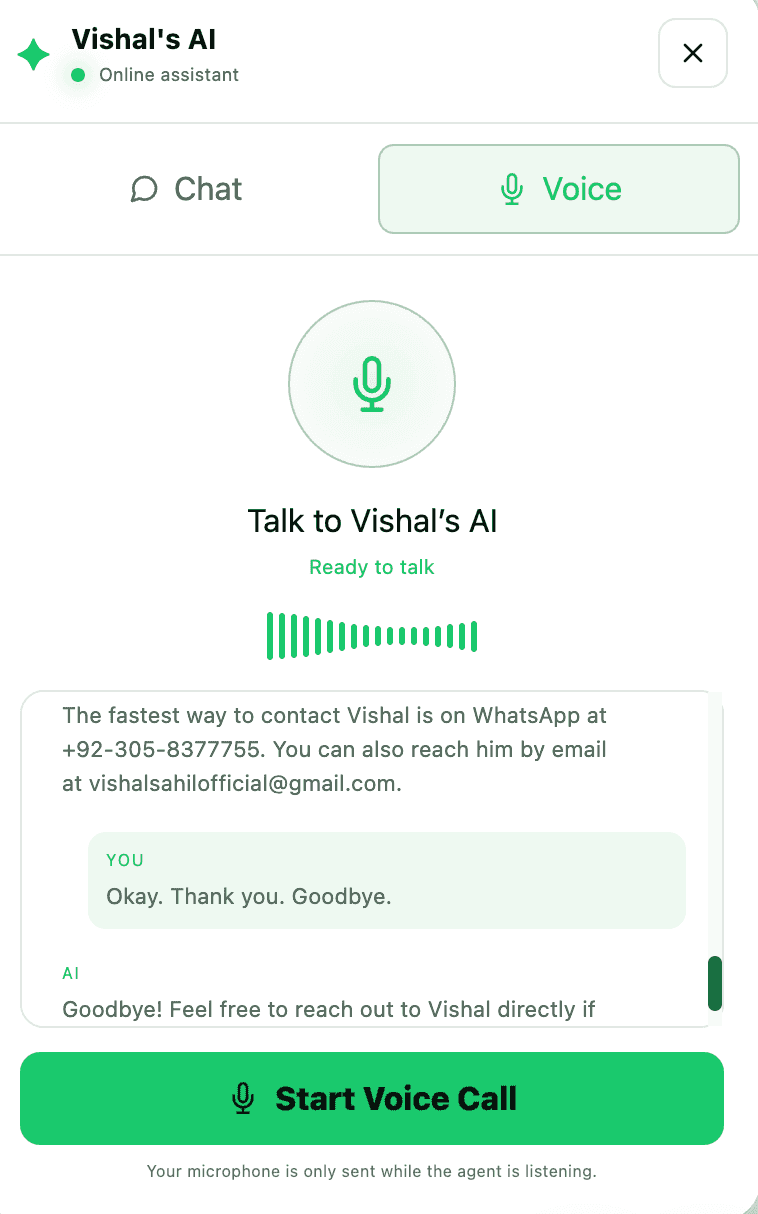
A real-time browser-based AI voice assistant that lets portfolio visitors speak naturally, see live transcription and receive grounded spoken answers backed by RAG and multi-turn memory.
The browser captures microphone audio, resamples it to PCM16 at 16 kHz and streams it over a WebSocket to FastAPI. Deepgram performs real-time speech recognition with interim transcripts. Once the user finishes speaking, MongoDB memory, Pinecone retrieval and the ElevenLabs connection are prepared in parallel. Retrieved portfolio context and conversation memory are passed to Gemini for streaming response generation. Gemini text is immediately forwarded to ElevenLabs streaming TTS, and generated MP3 audio plus alignment timing data are streamed back to the browser for synchronized playback and captions.
Sada AI Voice Agent DemoReal-Time Voice Conversation Interface
THE SYSTEM, STEP BY STEP
System flow
01Portfolio Visitor
→
02Browser Microphone
→
03Web Audio API
→
04WebSocket /ws/call
→
05FastAPI
→
06Deepgram Nova-3
→
07MongoDB Memory
→
08Pinecone RAG
→
09Google Gemini
→
10ElevenLabs TTS
→
11MP3 Playback + Synced Captions
Click Play a Run to follow the system from start to finish.
What it is
Sada is a portfolio-native real-time AI voice assistant built with FastAPI, WebSockets, Deepgram, Pinecone, Gemini, MongoDB and ElevenLabs. Visitors can speak directly through their browser microphone, watch their words appear while they are still talking, receive portfolio-specific answers grounded in retrieved knowledge and hear the AI response while its text appears in sync with the generated speech.
The problem it solves
Traditional portfolio websites require visitors to manually browse multiple sections to understand a developer's experience, skills and projects. A text chatbot improves discovery, but still requires typing. The goal of Sada was to create a natural voice interaction where visitors can ask questions conversationally while keeping answers grounded in real portfolio information.
How it works
Real-time browser microphone audio streaming
Live user transcription while speaking
Deepgram Nova-3 streaming speech-to-text
Interim and final transcription handling
Pinecone retrieval-augmented generation
Grounded answers from portfolio knowledge
Pinecone llama-text-embed-v2 embeddings
Top-3 semantic knowledge retrieval
MongoDB multi-turn conversation memory
Three-phase conversation memory strategy
Automatic TTL cleanup for expired sessions
Gemini streaming response generation
ElevenLabs WebSocket streaming text-to-speech
Character-aligned synchronized agent captions
Incremental MP3 playback through MediaSource
Parallel RAG, memory and TTS preparation
Pre-connected TTS to reduce response latency
Browser microphone suppression while the agent speaks
LISTENING, THINKING and SPEAKING call-state management
API key and account rotation with fallback handling
Clean WebSocket and speech-session cleanup when calls end
The engineering focus
The browser captures microphone audio, resamples it to PCM16 at 16 kHz and streams it over a WebSocket to FastAPI. Deepgram performs real-time speech recognition with interim transcripts. Once the user finishes speaking, MongoDB memory, Pinecone retrieval and the ElevenLabs connection are prepared in parallel. Retrieved portfolio context and conversation memory are passed to Gemini for streaming response generation. Gemini text is immediately forwarded to ElevenLabs streaming TTS, and generated MP3 audio plus alignment timing data are streamed back to the browser for synchronized playback and captions.